Home › Productivity

Einko - One-tap Save All
雨霏 张
Todos & Events & Bookmarks
#6751954532In-App Purchases
Screenshots — platforms



Description
Is your screenshot album a forgotten goldmine?
Every day, we capture countless pieces of information — meeting times, contact cards, study notes, moments of inspiration. And then? They sink into the abyss of our photo albums, never to be opened again.
We have plenty of tools to process, revisit, and appreciate photos we take in the physical world. But the photos we "take" in cyberspace? We rarely pay attention to them or use them. They end up taking up space — yet we can't bring ourselves to delete them.
Restacks is here to handle the content in your screenshots. All you have to do is capture them.
For every screenshot, our little corgi Ein will process its contents, uncover the information behind it, and organize everything into neat cards — making it easier for you to use and revisit.
With Ein, you'll never have to worry about screenshots you've taken and forgotten, or screenshots you can't put to good use.
"Restack it, remember it."
You see a great product review or article on Xiaohongshu? Restack it, and Ein will find the original link to the product or article. Ein can also save the blogger's name and a direct link to the post — making it easy to read the original, follow the creator, or jump back to where you took the screenshot.
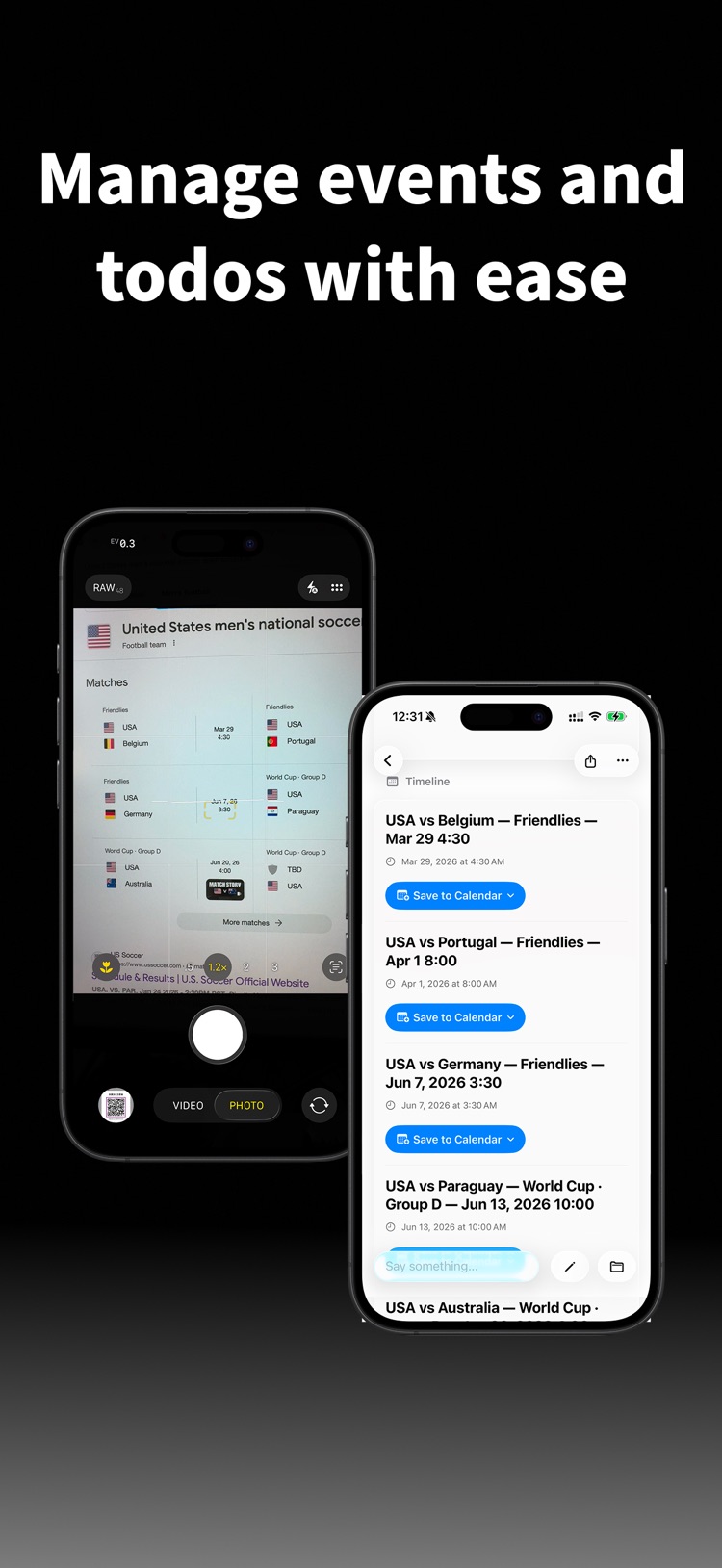
A friend sends you an event invite on WeChat? Restack it, and Ein will handle the scheduling, adding it to your calendar of choice. The event location will be organized too — when the reminder goes off, just tap to hail a ride.
Found a bunch of exhibitions you want to attend this month? Adding them one by one is tedious. Restack them, and Ein will sort them all out and put them in your calendar.
Spotted a planner you love? Restack it, and Ein will organize the shopping link for easy bookmarking and purchase.
"Ein witnesses the moments of your digital life."
After processing your screenshot cards, Ein also reviews your recent screenshots to help you think about what content you might want to act on. Saved a lot of AI-related articles lately but haven't created a to-do to read them? Ein will fetch some cards to remind you to catch up on your reading.
"Ein, what were those articles I saved to read last week?"
Saved too much and finding things is a hassle? No worries — just ask Ein. This clever little corgi will immediately pull up all the relevant cards they've organized for you.
"Screenshots are cyberspace photography."
Much of what we screenshot is worth saving, revisiting, and sharing with friends. Create your own personalized album to collect these screenshots, and Ein will turn them into albums of different styles for you to admire or share. Every week, Ein will also pick some of their favorite screenshots to look back on the week you've spent together.
Terms of Use (EULA): https://www.apple.com/legal/internet-services/itunes/dev/stdeula/
Privacy Policy: https://www.einko.app/privacy
Information
Bundle IDcom.restacks.Restacks
Seller雨霏 张
Min iOS18.0
Content rating4+
Released2025-11-27
Version history 22 recorded
1.0.23
2026-06-10
What's New in 1.0.23
- Fixed an issue where the Shortcuts installation entry could disappear
- Stability and performance improvements
1.0.22
2026-06-06
What's New in 1.0.22
- Share your stacks with friends! Generate a link, QR code, or invite code — recipients save the whole collection straight into their own library
- Share single screenshots too: shared images carry a scannable QR code so friends can add them to Einko instantly
- Claimed content lands in a "Shared with me" stack automatically
- Fixed an error that could appear when creating or opening stack share links
- Stability and performance improvements
1.0.21
2026-05-23
- Added ability to share a stack
1.0.20
2026-03-19
- Fixed issue that no stacks being displayed in the Daily Review Section;
- Added ability to use the App without having to signing in with Apple ID;
1.0.19
2026-03-07
Mar 5th:
1. Added ability to share photos or screenshots directly with Einko, so don't have to configure the shortcut but can also use Einko~
2. Updated community QR code.
1.0.18
2026-02-21
- Updated Restacks icon
1.0.17
2026-02-18
Improved performance when switching between pages
Fixed an issue where notes could be lost when added
Fixed an issue where some links could display both an "Open in X App" button and a redirect link simultaneously
Fixed an issue where the Action Button onboarding prompt was unavailable on devices that support Action Button
Removed the red dot badge from the App Settings entry
1.0.16
2026-02-02
- Improved the onboarding experience to help new users get started more smoothly (and we'll keep refining it!).
- Fixed an issue where manually added ideas could be lost during use.
- Optimized response speed and performance across multiple areas of the app.
- Fixed an issue where non-subscribers who received bonus subscription time couldn't see the subscription page.
- Fixed an issue where marking a screenshot as "checked" would create an extra marker in the history.
- Auto-add to Reminders and Calendar now works without needing to open the app.
- Enhanced Ein's processing capabilities, now Ein can process screenshots with even more information.
1.0.15
2026-01-25
- Added search history feature for quicker access to previous searches
- Added Redeem Code feature — find codes on our social media to claim rewards
- Added a more interactive onboarding page to help users better understand the setup process
- Today's tasks on the home screen now show both today's and tomorrow's items by default; you can also configure it in Settings to display all future items
- Fixed an issue where titles for calendar events and reminders were being summarized too generically
- Screenshot detail page now displays capture time and the current card stack it's saved to
- Fixed an issue where auto-add to Reminders and Calendar might fail
- Fixed an issue where the keyboard couldn't be dismissed on the search page
- Fixed an issue where the swipe-back gesture wasn't available on all screenshot detail pages
- Fixed layout issues with English text on the processing screenshot detail page
- Improved app performance when switching tabs
1.0.14
2026-01-19
- Improved the instructions on the screenshot details page during processing
- Content that has been automatically added to Calendar and Reminders now displays a badge, so you can clearly see whether important items have been synced
- Fixed the subscription restoration feature
- Improved app launch speed when offline
- Fixed button UI issues on the newly added pages in the release version
- Fixed translation issues in the permission request prompts for the Add to Reminders and Calendar features
1.0.12
2026-01-16
- Removed some beta testing info
1.0.11
2026-01-14
- Beta user now has 5 invitation codes by default
- Beta users have 30 days of Pro usage on their first app launch after release
- Invitation codes now correctly grant users with Pro subscription
1.0.10
2026-01-13
Restacks now is fully launched! Enjoy all the features.
1.0.9
2026-01-06
- Updated for major release
1.0.8
2026-01-04
Major refactor and multiple improvements
1.0.7
2025-12-15
App overhaul.
1.0.6
2025-12-04
- Added notification upon screenshot processed.
1.0.4
2025-12-03
- Updated permission asking process for auto-adding to calendar and reminders
1.0.3
2025-12-02
Updated the editing sheet for screenshots.
1.0.2
2025-12-01
Fixed an occasion where unnecessary text will appear in the screenshot detail's page.
1.0.1
2025-11-29
Added comprehensive new user's onboarding process.
1.0
2025-11-28
—
Region availability 1 of 1 storefronts
| Store | Price | Ratings | Avg | Version |
|---|---|---|---|---|
| US | Free | 0 | — | 1.0.23 |