Home › Business

Zoom Workplace
Zoom Communications, Inc.
AI-first collaboration
#546505307In-App Purchases
Screenshots — platforms





Description
Zoom Workplace helps you streamline your day and collaborate effortlessly with the power of AI.
Zoom Workplace brings video meetings, chat, phone, appointment scheduler, email, and collaborative documents together in a single app. With Zoom AI Companion built in to help you take notes, summarize, write, and organize, you can get more done without the busy work.*
Power Your Work with AI Companion
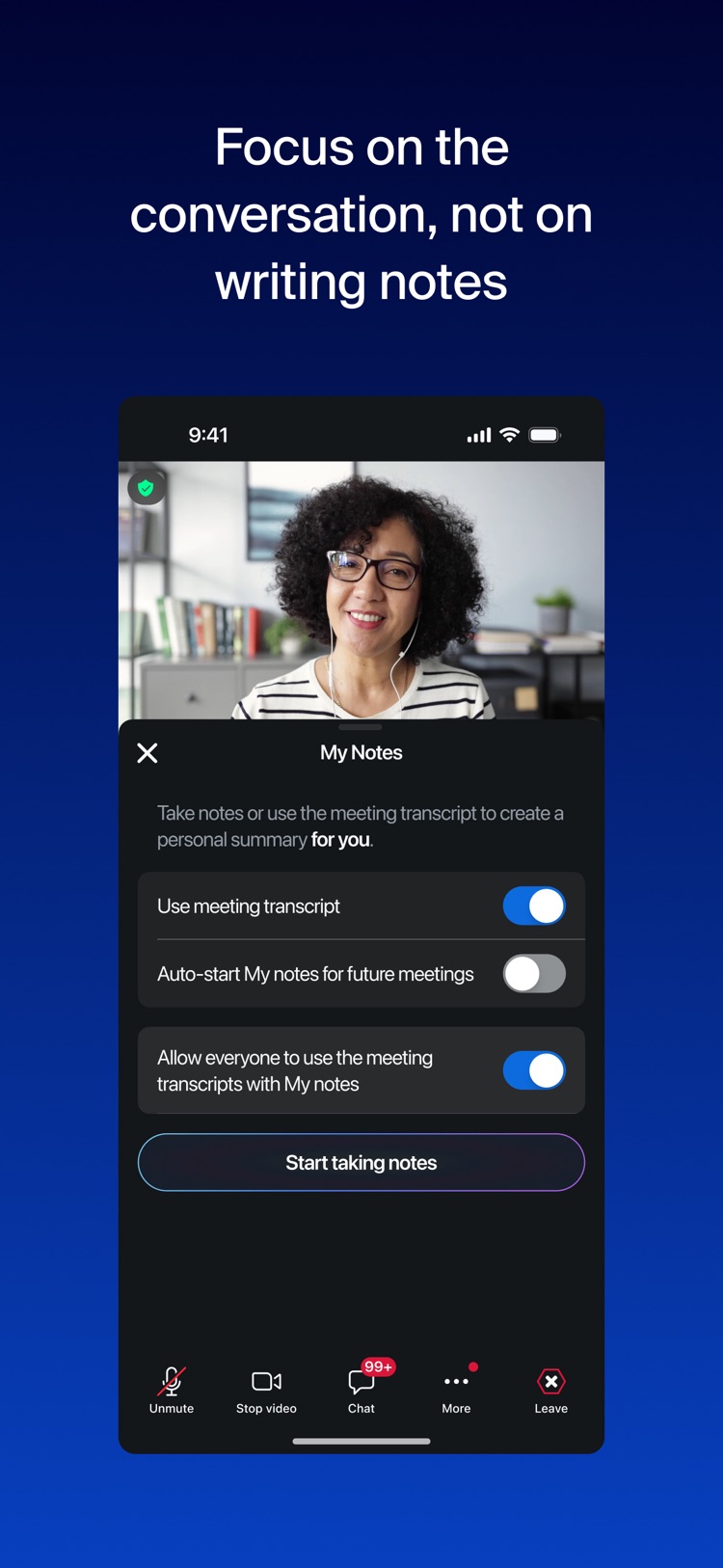
• Capture every conversation: Whether you're hosting or joining, My Notes can automatically take notes during your Zoom Meetings and in-person conversations, so you can stay focused instead of scribbling.
• Catch up instantly: Get automatic meeting summaries and next steps sent to you after the call, so you don’t have to take notes again.
• Ask questions live: Missed something? Ask AI Companion questions like "What did I miss?" or "Was my name mentioned?" during a meeting without interrupting.
• Draft in seconds: Let AI Companion compose emails, chat responses, and whiteboard ideas for you with a simple prompt.
• Summarize threads: Instantly turn long chat threads or SMS conversations into a quick summary so you can get the gist fast.
Seamless Communication
• Connect with anyone: Host or join meetings with crystal-clear video and audio, and work like you're side-by-side with immersive views.
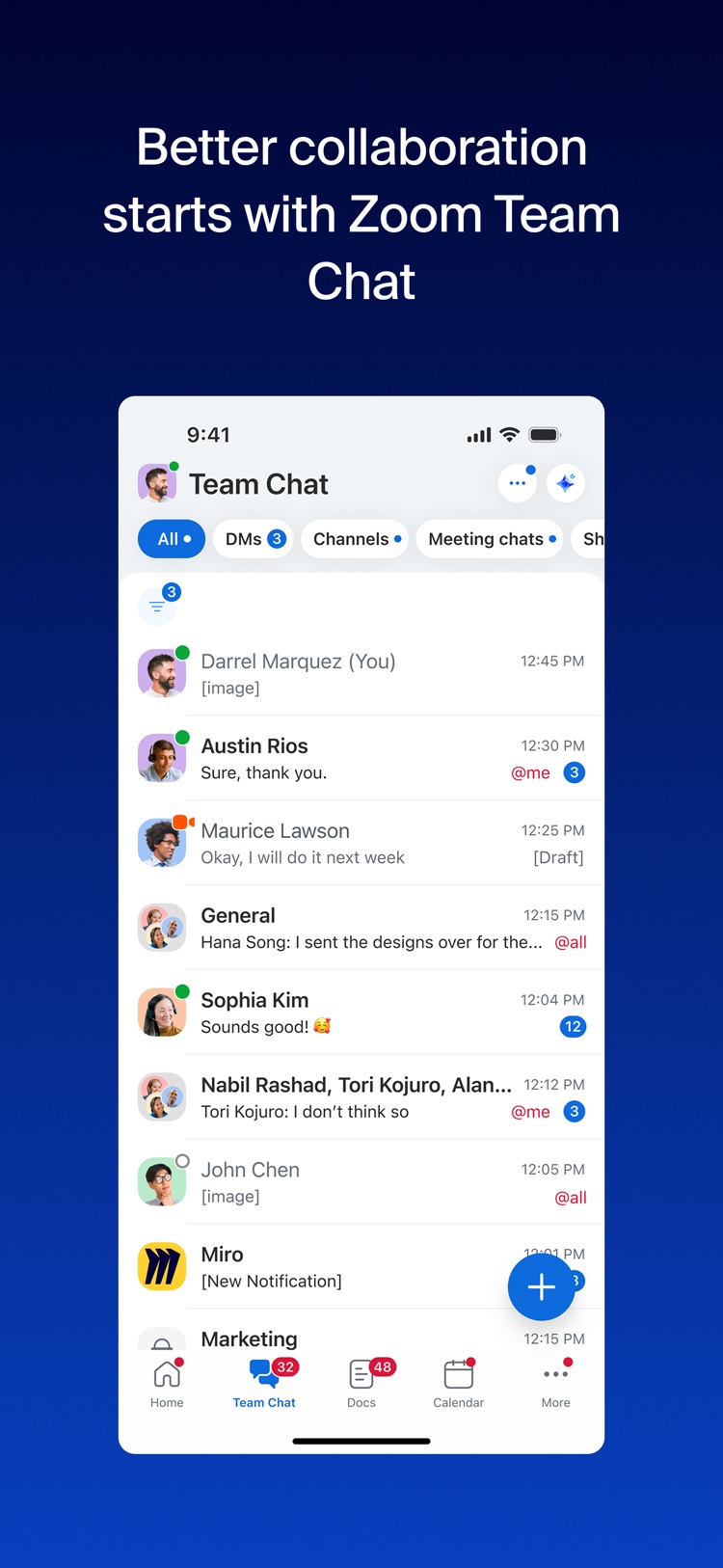
• Stay in sync: Use Zoom Chat to message individuals or groups, organize conversations with channels, and share files instantly.
• Make business calls: Handle calls with Zoom Phone, a robust VoIP solution.*
• Update asynchronously: Record and share Clips—short video messages and screen recordings—to provide updates that your team can watch on their own time.
Next-Gen Collaboration
• Create together: Draft, edit, and collaborate on Docs in real-time, right inside your meetings.
• Brainstorm freely: Use Whiteboard to map out ideas with sticky notes and shapes—or ask AI Companion to generate a mind map for you instantly.
• Share information: Co-edit files and wikis that live right next to your team’s video interface so you never lose context.
Productivity & Organization
• Manage your day: Bring your email and calendar into one unified view to schedule meetings and check messages without switching apps.
• Stop the scheduling ping-pong: Use Zoom Scheduler to share your availability and let others book time slots that work for everyone.*
• Use Zoom AI Companion agentic skills to answer questions like “summarize today's meetings” to instantly connect the dots across your workflows.
Zoom Workplace Pro
Unlock the full experience with a paid subscription:
• Unlimited meeting duration (up to 30 hours).
• Cloud recording storage to save and share your meetings.
• Grant co-hosting and scheduling permissions to other users.
Subscription Information: Zoom Workplace offers free and paid plans. Your Zoom Workplace Pro subscription will automatically renew unless you cancel at least 24 hours before the end of the free trial or the plan billing period. After you start your subscription, you can manage it from either App Store settings or iOS settings. The amount charged to the payment method in your App Store account will vary by the plan you select and your country. The plan price will be displayed before you start your free trial or confirm your purchase.
Privacy & Terms: By installing the app, you agree to these terms and conditions:
https://www.zoom.com/en/trust/privacy/privacy-statement/
https://www.zoom.com/en/trust/terms/
* Some features may require an additional add-on or paid license for access or to remove usage limitations. Availability and functionality may vary based on your subscription or license type.
Information
Bundle IDus.zoom.videomeetings
SellerZoom Communications, Inc.
Min iOS15.0
Content rating4+
Released2012-08-15
Version history 25 recorded
7.0.5
2026-05-19
Bug fixes and improvements
7.0.3
2026-04-23
Bug fixes and improvements
7.0.2
2026-04-04
Bug fixes and improvements
7.0.0
2026-03-25
Bug fixes and improvements
6.7.5
2026-02-10
Bug fixes and improvements
6.7.3
2026-01-20
Bug fixes and improvements
6.7.2
2026-01-02
Bug fixes and improvements
6.7.1
2025-12-17
Bug fixes and improvements
6.7.0
2025-12-16
• Meetings became simpler. Your five most-used controls are always visible, with the rest tucked into a new More menu. Adding people, raising your hand, and summoning AI Companion now feel faster and more intuitive.
• Finding things just got easier. Tap the new search icon on any tab to quickly find messages, contacts, files, docs, and whiteboards.
• iPad got a refresh. A redesigned navigation experience on iPad puts your profile, settings, and tabs in one easy-to-reach place, with customizable tab ordering to help you move around the app effortlessly.
6.6.11
2025-12-01
Bug fixes and improvements
6.6.10
2025-11-19
Bug fixes and improvements
6.6.7
2025-10-30
-Minor bug fixes
6.6.6
2025-10-28
-Minor bug fixes
6.6.5
2025-10-22
General features:
-Call a Room feature relocated to overflow menu on mobile
Team Chat features:
-Usability enhancement for editing messages with images and files on mobile app
-Automatic message resending
Clips features:
-Clips avatars support for mobile devices
Phone features:
-Support for Zoom Phone AI and transcription language expansion
Resolved issues:
-Minor bug fixes
6.6.0
2025-09-15
General features:
-End of support for iOS 13 and iOS 14
-Enhancements to presence management with reset capability
Meetings features:
-Voice Recorder with AI Companion: Support smart name tags for speaker identification in voice recordings
-Simplified meeting transfer from Zoom Workplace mobile app to Zoom Rooms
-Enhancement to voice recording speaker identification
Team Chat features:
-Remove Zoom Phone call notifications from one-on-one chats
-Redesigned group direct message icon on mobile app
-Notify post-meeting cards only when valuable
-Notify hosts when summary or recording is successfully shared
-New channel meeting card user interface
-Enhancement to shared space ownership transfer
-Continuous meeting chat support for PMI meetings
-Enhancements to meeting agenda sharing in continuous meeting chat
Phone features:
-SMS admin controls for inbound attachments, group messaging, and character limits
-Privacy controls and audio prompts enhancement for Zoom Phone AI Companion
-Create Zoom Docs with AI-generated call summaries
-Call queue management on mobile devices
Resolved issues:
-Minor bug fixes
-Security enhancements
6.5.12
2025-09-02
-Minor bug fixes
6.5.11
2025-08-21
-Minor bug fixes
-Resolved an issue for a subset of users in which meetings unexpectedly timed out at 40 minutes
6.5.10
2025-08-19
General features:
-Upcoming end of support for iOS 13 and iOS 14
Meetings features:
-Enhancements to joining personal meeting rooms
Team Chat features:
-Enhancements to feedback features in AI Companion
-Create direct message, group chat or channel from the "New Message" button
Phone features:
-Shared device management with role-based profile selection
Resolved issues:
-Minor bug fixes
-Resolved an issue in which adding a personal contact on the Zoom mobile app showed a "network error" message and created a duplicate contact
-Resolved an issue on the Avaya integration regarding continuous ringing after a user accepts the call on another device or the caller cancels the call
6.5.9
2025-08-12
-Security enhancements
6.5.8
2025-08-06
-Minor bug fixes
6.5.6
2025-07-29
General features:
-Enhancements to @mention in AI Companion panel for mobile
Meetings features:
-Support for personalized audio isolation on iPads
-Expanded language support for voice recorder with multi-language detection and transcription
-Enhancements to custom AI Companion consent notices on mobile devices
-Enhancements to audio settings in meetings
-Enhancement to meeting summary sharing with link access permissions
-Enhancement to gallery view for 3-5 person meetings on mobile
Team Chat features:
-Search deactivated users in global search
-Restrict specific users from chatting with external participants in group chats and channels
-Pin a Zoom Doc shared folder to chat tabs
-External contacts support for Zoom Phone calls and voice mail notifications
-Enhancements to mobile Team Chat interface with desktop parity features
-Enhancements to AI Companion in mobile app
-Enhancement to Zoom AI Companion settings with guided enablement for compose
-Enhancement to scheduled meetings with unused continuous meeting chats
-Ability to disable direct message while maintaining access to continuous meeting chat
Phone features:
-Select Online Fax file service
-Enhancements to Zoom PSI client for Mitel call forwarding settings
-Enhancements to videomail display and voicemail prioritization
-Display original caller identification for transferred calls in call history
-Avaya PSI device support and call management
MDM features:
-Use biometric authentication to unlock access to Zoom - RequireBiometricAuthentication
-Set the delay time for proxy requests in PK requests - ProxyPKRequestDelay
-Prevent screenshots of the Zoom app - DisableScreenshot
-Determine where non-PK proxy requests should go - TryPKRequestDirectFirst
Resolved issues:
-Minor bug fixes
6.5.1
2025-06-24
-Minor bug fixes
6.5.0
2025-06-20
General features:
-Update Zoom legal name in Zoom Workplace certificates
Meetings features:
-Ability to rename voice recordings
Team Chat features::
-Self mentions in chat conversations
-New admin setting to enable/disable visibility of Zoom Phone calls and voicemail notifications in 1:1 chats
-Instant meeting support and granular admin controls for continuous meeting chat
-Channel invite links
Phone features:
-International Online Fax generally available with improved file handling and notifications
-Improve Invite Zoom Phone experience with automatic phone participant connection
-Enhancements to automated Zoom Phone provisioning for frontline workers with optional voicemail control
-Display caller ID consistently during calls
Revenue Accelerator features:
-Enhancements to mobile navigation design
6.4.10
2025-05-20
Meetings features:
-Ability to choose the meeting waiting room default screen
Team Chat features:
-Streamlined user enablement for chat summary feature
-Reduce UI obstruction from floating buttons
-Improved Team Chat Compose experience in the mobile app
-Improved message translation in Team Chat
-Expanded Team Chat character limit to 16,000
-Enhancements to meeting asset sharing in channel meeting cards
-Add optional message to contact requests
Phone features:
-Enhancements to SMS messaging with API support
-Enhancements to Mitel PSI client call forwarding settings
Contact Center features:
-Default language for video engagements
Resolved issues:
-Security enhancements
-Resolved an issue where the Zoom mobile app reminder incorrectly indicated that a meeting had started when it was still one hour away
-Resolved an issue that caused a significant delay when launching the Zoom app from the browser to join a meeting
-Resolved an issue where Simulive webinars showed a blank video for participants while audio continued to play
-Resolved an issue where Cloud Contacts were not visible in the Zoom iPhone app on iOS 17 and 18, despite appearing correctly on desktop
-Resolved an issue where the auto-call feature only worked once per meeting and failed to trigger again after the meeting time was modified
6.4.6
2025-04-23
-Minor bug fixes
Region availability 1 of 1 storefronts
| Store | Price | Ratings | Avg | Version |
|---|---|---|---|---|
| US | Free | 3.2M | 4.7 | 7.0.5 |
Reviews 20 recent
★★★★★ Very Poor Customer Service — Soop77
I wanted to cancel an upgrade I had made in error to an old Zoom account and upgrade my new one instead. I was not allowed to cancel ) since I had chosen the annual plan and had to wait for an entire year) or speak to a human until I asked for sales, who of course could not fix the problem. The salesperson could not connect me with billing either but upgraded the new one account. She told me how to get around the AI assistant and had me try again which didn't work. I had to call her back and she
★★★★★ Scheduling is messed up — Jeff DeWitte
When scheduling a new repeating meeting scheduled for a date other than the date you're setting it up it will not reflect that once the meeting is confirmed. For example, today is Monday the 25th at 1 PM but you want a repeating meeting each Friday. You schedule it for Friday the 29th at 2 PM for one hour and you choose repeats weekly. You confirm and add it, you add it to your eye calendar, you go back into Zoom to invite folks and when you go to edit the meeting you noticed that it is for toda
★★★★★ This needs fixed or scrapped — Chance Weslowski
I am not a person who just wants drama. I usually don’t even write reviews. But, I have to make an exception. This app is a danger. A legitimate one too. Doctors use this app to prescribe and treat you. Psychologist appointments, family practice, maybe even a really good therapist all digital. And while it is fine that this is being done as it enables us to communicate better, you must fix the critical errors.
People are getting missed appointments, I’ve had error pages in the middle of them,
★★★★★ 10 Stars - Zoom coped with COVID demand - incredible achievement! — Dharma Brat
These folks continue to be the main way people contact each other, have family meetings as well as business and school. They have contributed so much to the fabric of our daily lives through reliable, accessible service. Zoom works so well that we actually have to remind ourselves that any device can use it with any internet provider and any operating system.
These folks are heroes in my book. Thank you, Zoom.
Earlier review - We need to recognize that this corporation managed to expand its a
★★★★★ It’s uhmm… decent — rokk0825
With a variety of video calling apps out there you would think that zoom would upgrade “up” instead of upgrade “down” ( and no, I do not mean downgrade, they upgraded their app and yet made it worse, hence….) putting a time limit on how long you can chat with whomever you choose, and now, they upgraded down and not only kept the call limit in place but managed to separate themselves further from the competition by forcing you to wait 10 after you reach the limit to be able to create a new meetin
★★★★★ It’s a great app , but.. — prishaparker
Zoom is a great tool I used to study with friends, video chat, etc. and used to absolutely love it. It works great with SMS and provides a great alternative to facetime for those that don’t have it. However, the app added ridiculous time limits to meetings and it has gotten to a point where I can no longer use the app productively. They originally only had a 45 minute time limit on group meetings, so once the 45 minutes were over, you’d have to create a new meeting and resend the link. They then
★★★★★ More Options Needed — Brontë Gatsby
I started using Zoom because when Covid happened my weekly doctor appointments were only available on it. Every week on Mondays and Wednesdays I use the same meeting ID number to join a meeting which consists of only me and my doctor and I often use different electronic methods. I’ve never used Zoom for any other reason so my issues are only referring to joining a reoccurring meeting. I use my iPhone or windows pc for my meetings and noticed that there’s just about no options for a person who on
★★★★★ So good — ponypie_idkishere
It’s honestly amazing me and my friends like to chat and some of my friends don’t have a phone yet but the do have an iPad and this is the best way for us to chat lol we have other apps but we prefer this app because it’s so easy to turn off ur camera and mute yourself and the best thing is instead of showing people all your pictures while finding one All you have to do is press your picture and that’s the only thing it’ll show! I also love how you can make your own group and make someone admin
★★★★★ Zoom on iPad Today — ayancey269
Yesterday I spent almost 45 minutes working with a knowledgeable tech mentor who was helping me navigate Zoom on my hp laptop. We finally reached a point where I could get onto the app and up to the point of "Join a Meeting."
However, in trying to connect with my meeting today, after 3 failed attempts to get into my meeting on the laptop, a member of the group called me on my iPhone. He used his speaker so I could at least hear, if not see, the other meeting attendees. I then got my iPad, and w
★★★★★ Extremely Hard to Reach. — sav_4_life
Hi. My name is Savanah Clark, my best friend, father, and now sadly, my angel in heaven, just recently passed away, very suddenly, from Covid-19 on September 13th of this Month… I had been receiving an unnecessary and abundant amount of emails from “ZoomMeetings” which I had 1. Never signed up to receive emails from, and 2. Had unsubscribed to these emails a good few times that I can remember in the past few weeks..( everything has been a blur for me since I lost my dad) Anyways, had finally got
★★★★★ Lots of things need to be updated — Kazzol
Update: app is complete trash and customer service are awful. I hate that this became popular and I am forced to use it. All of the other video conference apps like Discord, Google, etc. are infinitely better. Awful whiteboard and annotate options too. I hate zoom so much.
I use zoom on an iPad every day to teach lessons, and unfortunately there are a few things that keep me from loving this app. 1) Please make it so whiteboards are saved to a separate album on iOS. Most apps do this. It makes
★★★★★ Quarantine connection — Mckenzi Robinson
I love zoom because while this situation we can still connect with your class and your family even if they’re in Atlanta you can still connect with over three hundred people your age or older you can host zoom or you can join zoom and especially when you’re in a really sad predicament if you don’t have a iPhone you can still connect with your family on zoom and it’s just amazing because why are you on zoom you can type in the chat and everything it’s like FaceTime but not actually texting it’s i
★★★★★ Pretty useful but need to be more controlled by users — DeafGuy876
For “everyday” practical purpose, it is fine. But there are few things that I would like to see. One is more “set up” feature like allow me to remove “pin” whatever it is. Also allow me to alert the host the problems quickly without have to look through the list of “participants” just today, I discover the glitch which somehow didn’t switch the view to activate participant screen on time it always delayed until someone else decided to participate the meeting. Maybe it is due to Apple, Inc just
★★★★★ Background noses — Movcharov
We have a problem about now so we can harried the background noses some way so my you fix my background can you fix it please right away please and and I harried the echo few times to doing karate last night please and I am wondering around here what is it to noses coming for I harried anything else to like dishes is unbreakingble dishes or talking or warm the food in the microwave and then microwave shot close really hard I mean so my you testify the background please to let them know ab
★★★★★ Good👍, does its job. — Willow Grace Chrysanthemum
Good👍, does its job. Thank you Zoom for making this more accessible to schools!
I also have a request, could you add a waving emoji or GIF or indicator so that a participant can show/indicate that they are going to leave the meeting? (I always feel a bit awkward to wave onscreen, and other people have also voiced that they feel disinclined to wave for the reason of awkwardness).
Some people have experienced video and audio quality issues sometimes (may be due to Internet connection, but sometim
★★★★★ It’s Ok — LoganL2
This service has worked relatively well since we started using it but there has been times calls have glitched and audio has for some people has become out of sync and dropped completely, but usually good. I do wish audio and video quality was in general better especially for those with better connections.
However, my biggest gripes are a couple missing features that really should be added. The first one is obvious: when sharing videos for meetings, instead of being forced to rely on screen sh
★★★★★ 5 stars — 5 stars i love you
because I can have talk to my friends and family. I love to see their smile on there face and I can talk to them I can tell them everything what is what is happening in my life. I got to see my crush. 🥵😘 On a zoom meeting in a school called I miss that but my I can talk to he now I can not wait for school I get to see my crush body if u know what I mean. 😉 The sad thing is I got to see my BEST FRIEND 5 time now she is moving to Canada 🇨🇦 I hope I can see her again but the good news is I hav
★★★★★ It’s great for school but it has its flaws — madhsjvs s
I love the app because you can always unmute or mute yourself when you want or don’t want to talk. And you can also share your screen so students can learn and see what your doing it’s AMAZING and I love it . One thing I DONT love about the app is that sometimes the host mutes or unmutes me when I have background noise or anything distracting to my working time. I have limited space In my home and there is only but so many places to go. I of course know she doesn’t know I have noise in the backg
★★★★★ Why did schools choose this app of all things? — oldtiredlady
I’m a student, but I’m certainly not lazy and simply giving this app a one star review to get it taken off the App Store.
I’m just genuinely confused as to why so many schools chose to use this app for their communications. Honestly, had anyone ever heard of this application before quarantine? Going with something like Discord (a far more reliable and streamlined service) or Google Meets would’ve been my first choice, and yet schools chose to go with this.
I’ve heard many reports on how this a
★★★★★ Volume control is terrible, as is the security — Jcgdrtu
Overall Zoom has been very useful, but it has two significant problems that make me want to avoid the app as much as possible. The first issue is that the volume control is terrible. When I set the volume on my iPad to its lowest level, it’s still way too loud. It literally hurts my ears in certain meetings. Not only that, Zoom hijacks the audio so you can’t mute the sound. There are moments when I’m in a meeting when I need to talk to or hear someone in my house, and I want to mute Zoom tempora