Home › Business

ServiceDesk Plus | On-premises
Zoho Corporation
On-premises service desk app
#460035266



Screenshots 2 platforms
iPhone 8 shots · full-res
iPad 5 shots · full-res
Description
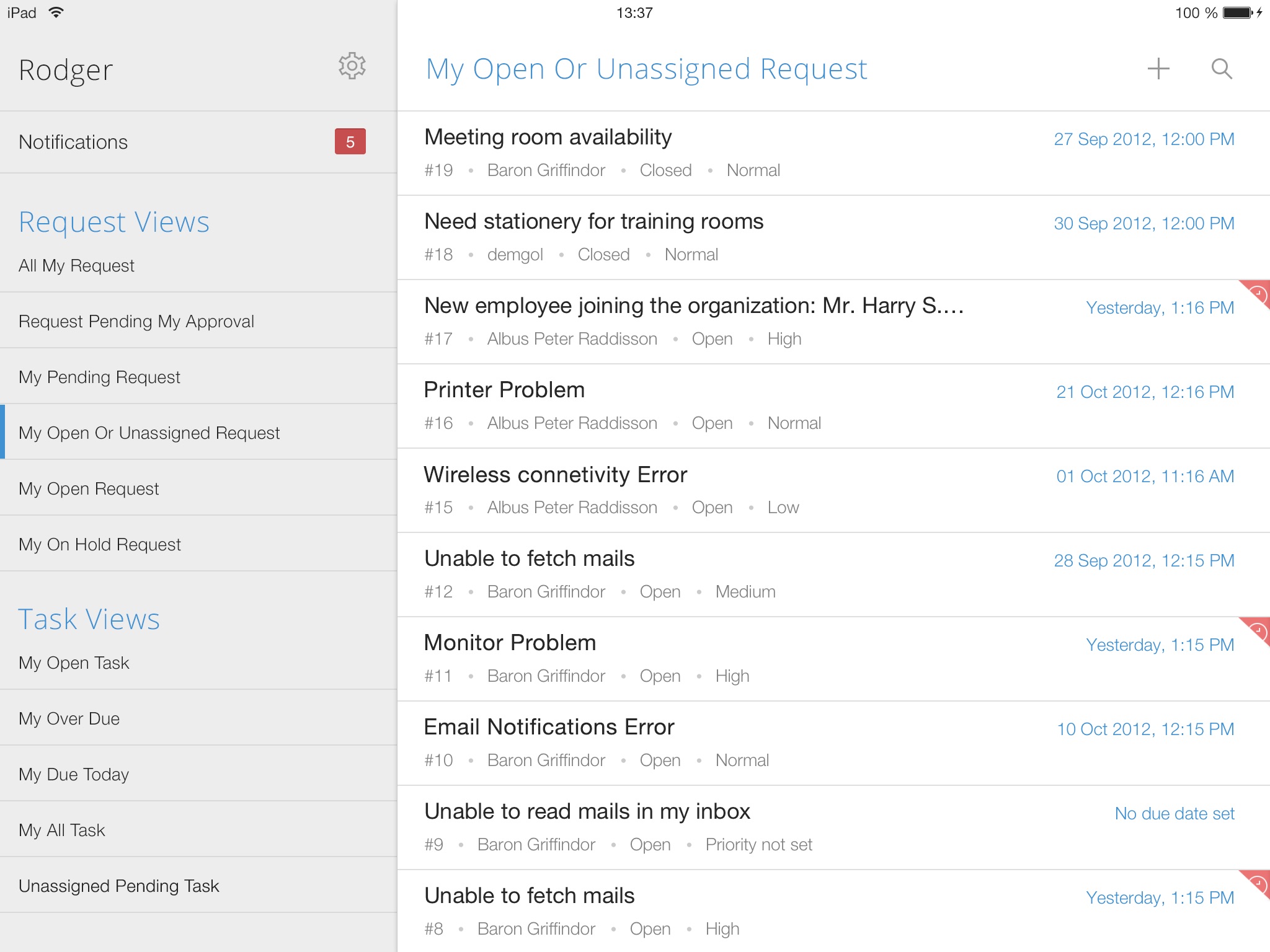
Employees can find answers or get the services they need, anytime and from anywhere, with the mobile app powered by ServiceDesk Plus. The platform combines ITSM essentials and ITAM with enterprise service management capabilities.
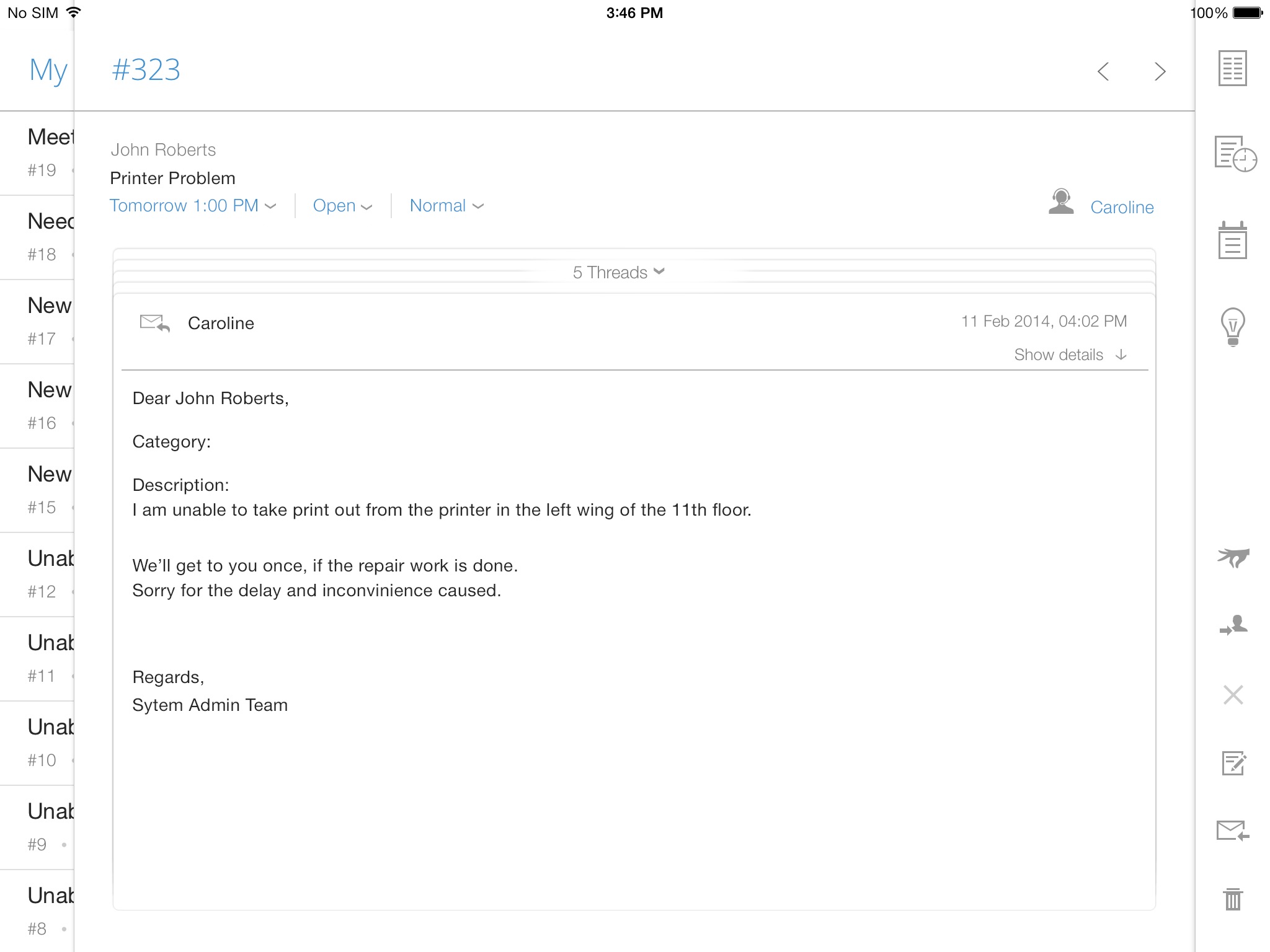
Technicians can also manage requests, approvals, and tasks on the go, be it handling IT, HR, legal, or finance service desks.
Here are some of the key features available in the app:
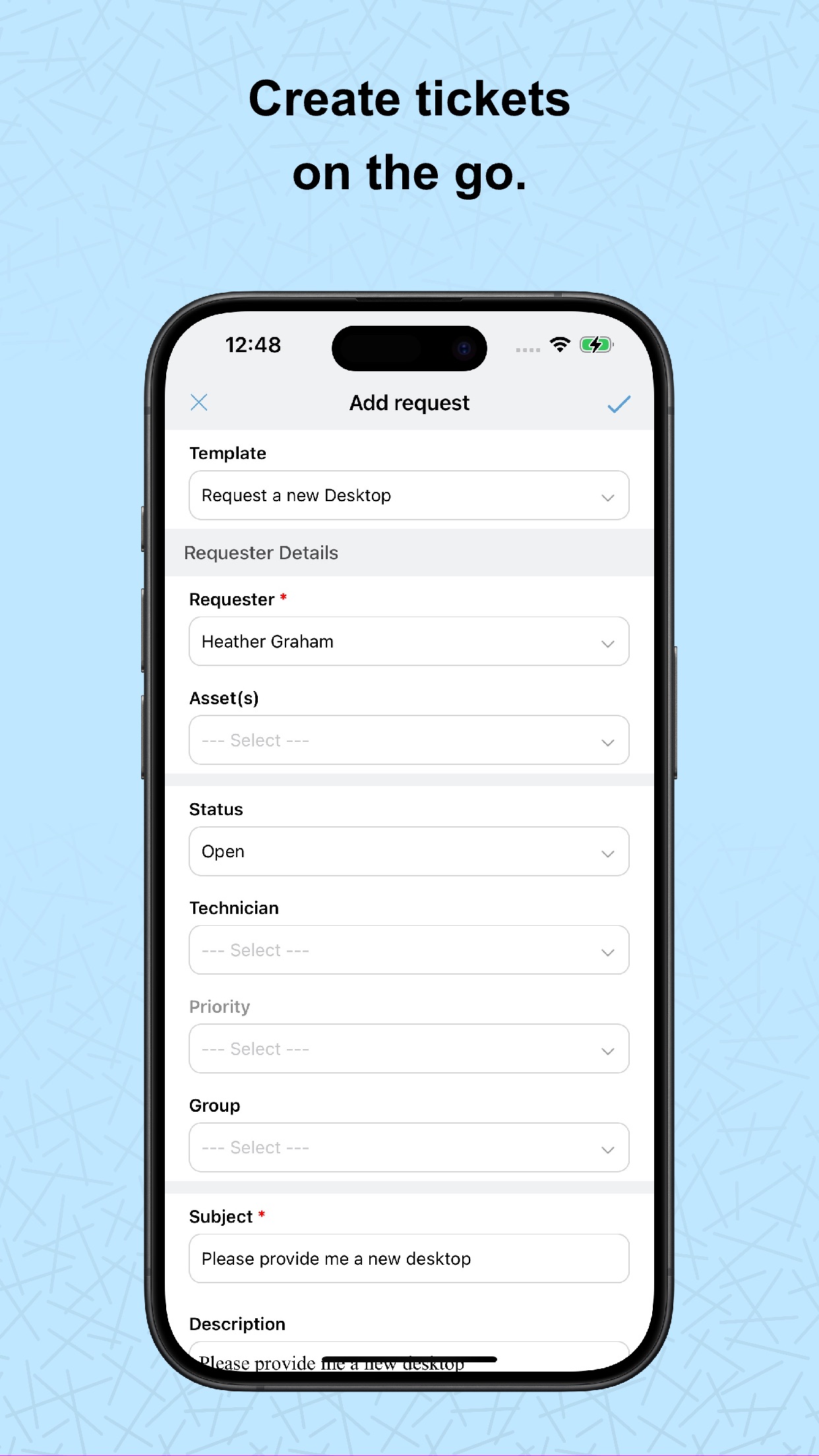
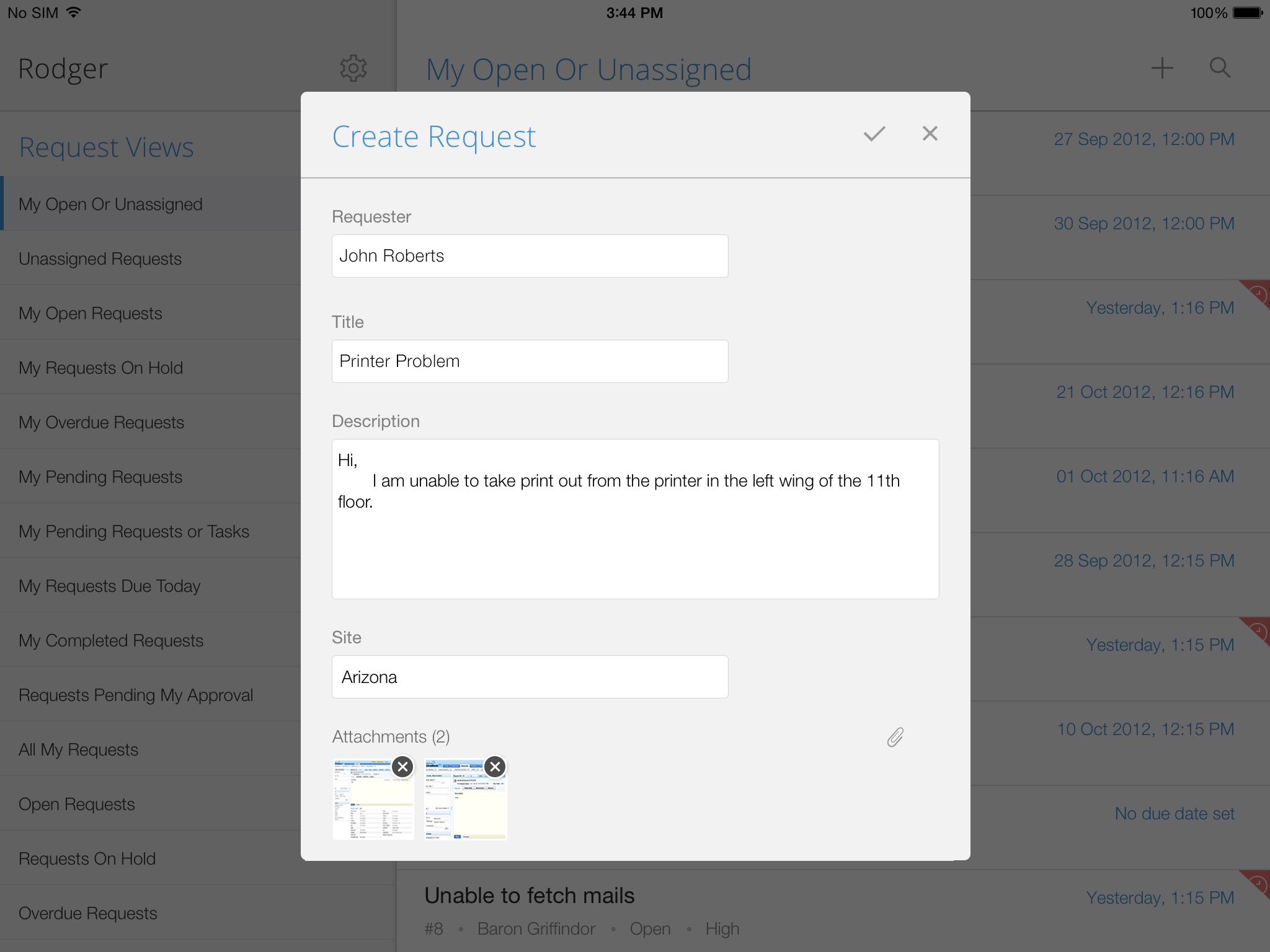
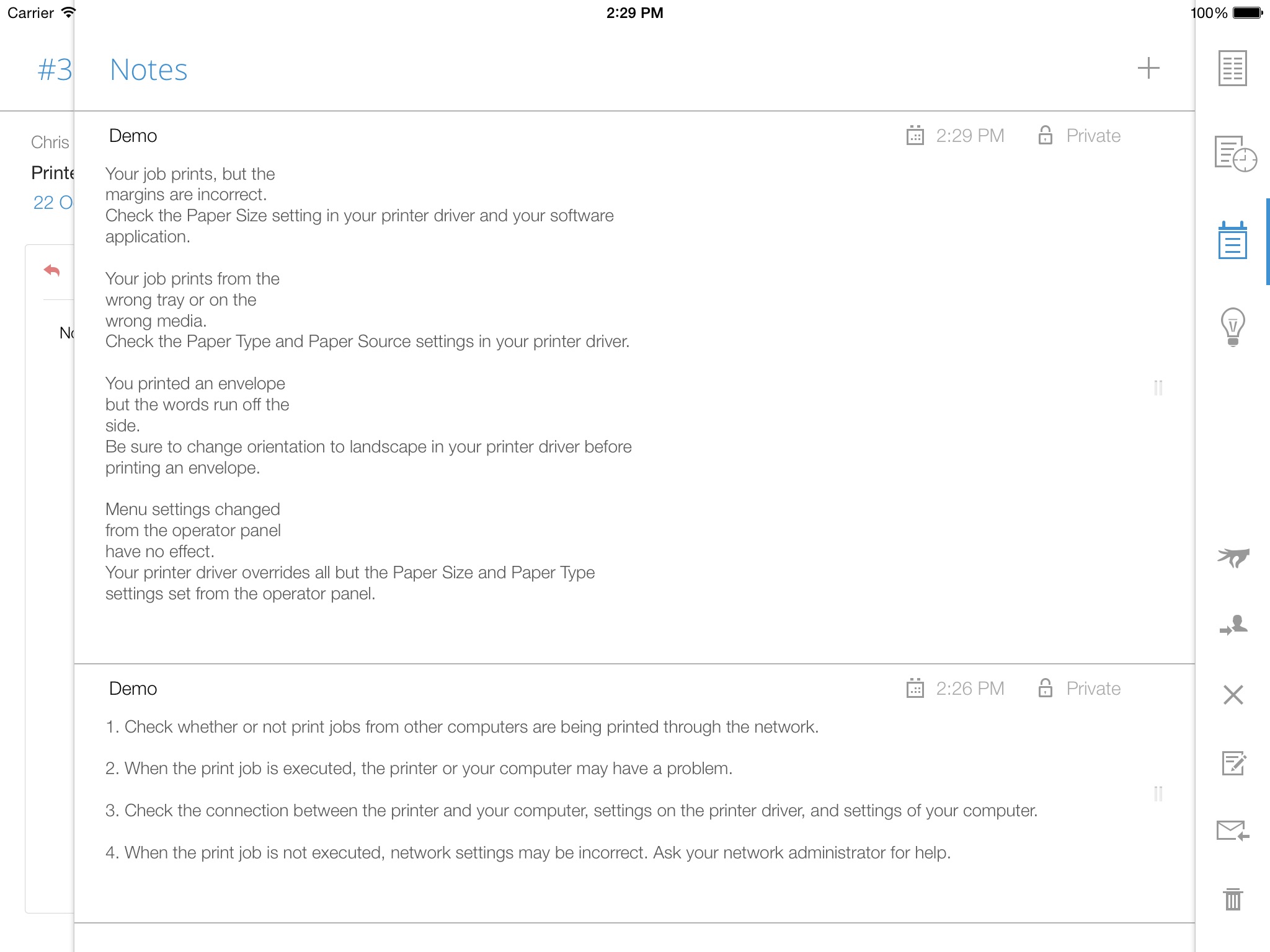
Requests: Create, view, edit, and resolve requests. Track the status of tickets, assign technicians, and add notes.
Tasks: Break down requests into tasks, assign them, and track progress.
Attachments: Add files and images to requests for reference.
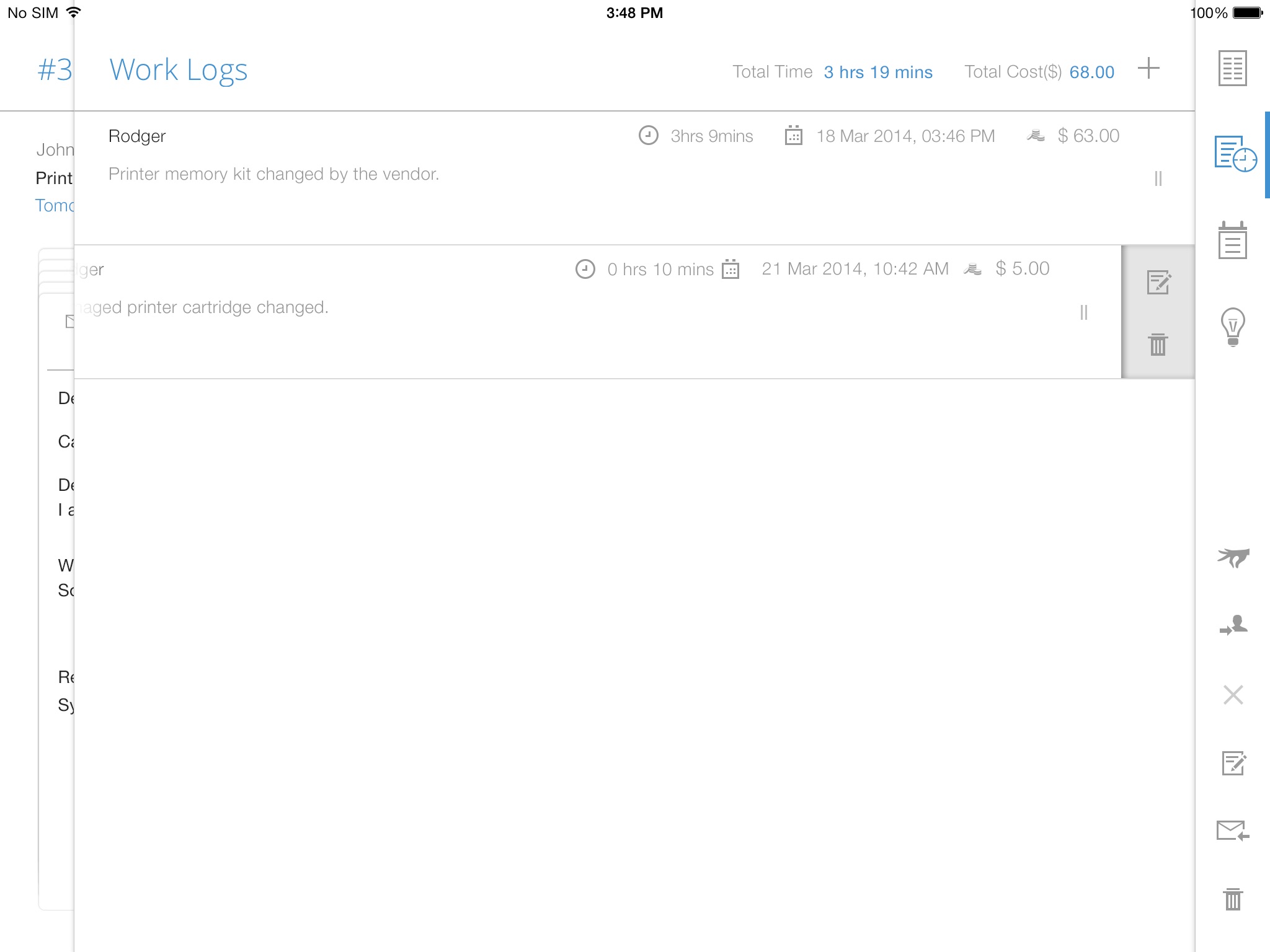
Work logs: Record time spent on requests.
Solutions: Access prerecorded solutions for common issues.
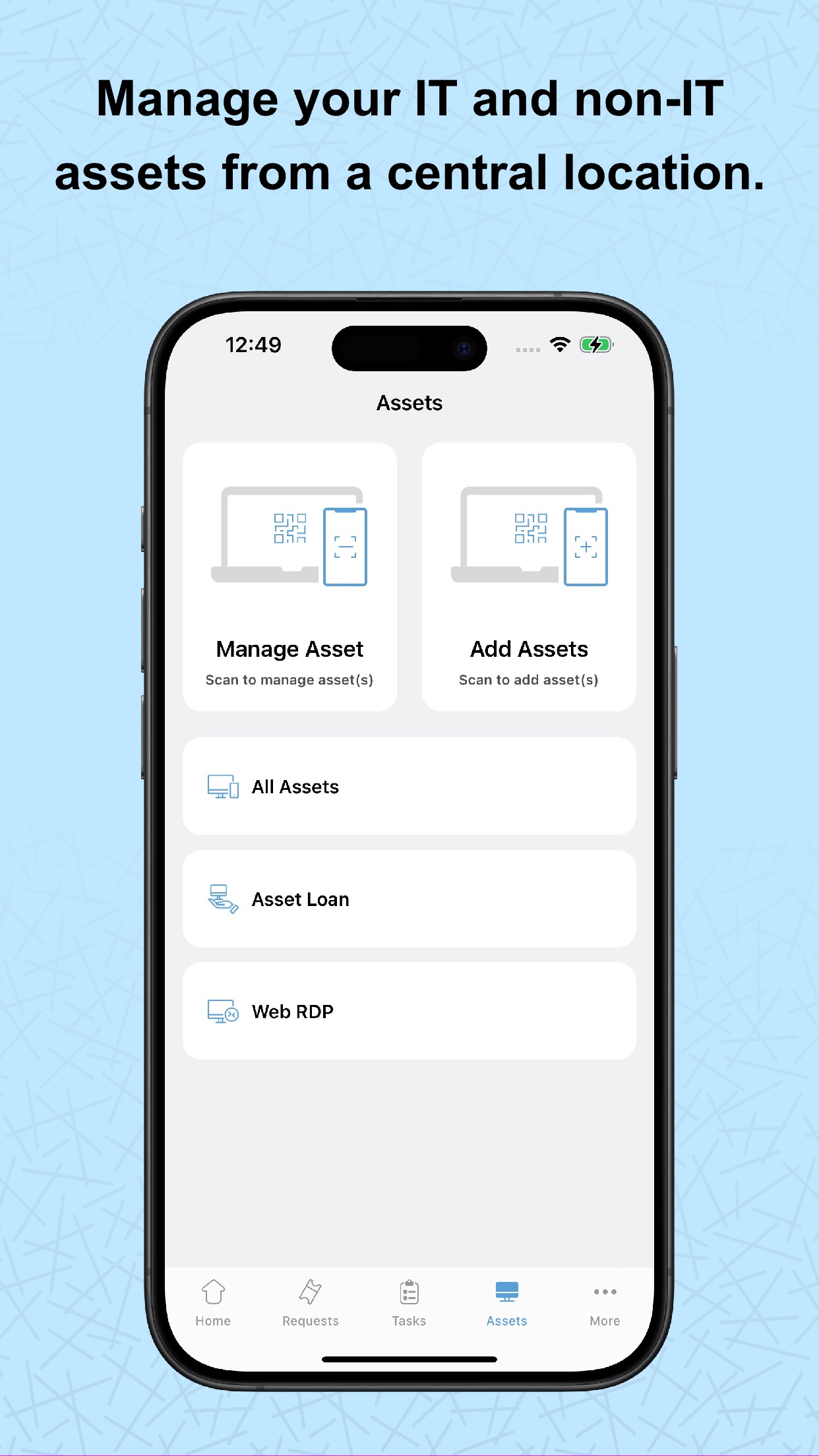
Assets: Add assets through bar code/QR code scan, view details, and gain access to remote Windows machines.
Calendar integration: View all your pending tickets as events on your mobile calendar app.
Change approval: CAB members can quickly approve change requests.
Additional features
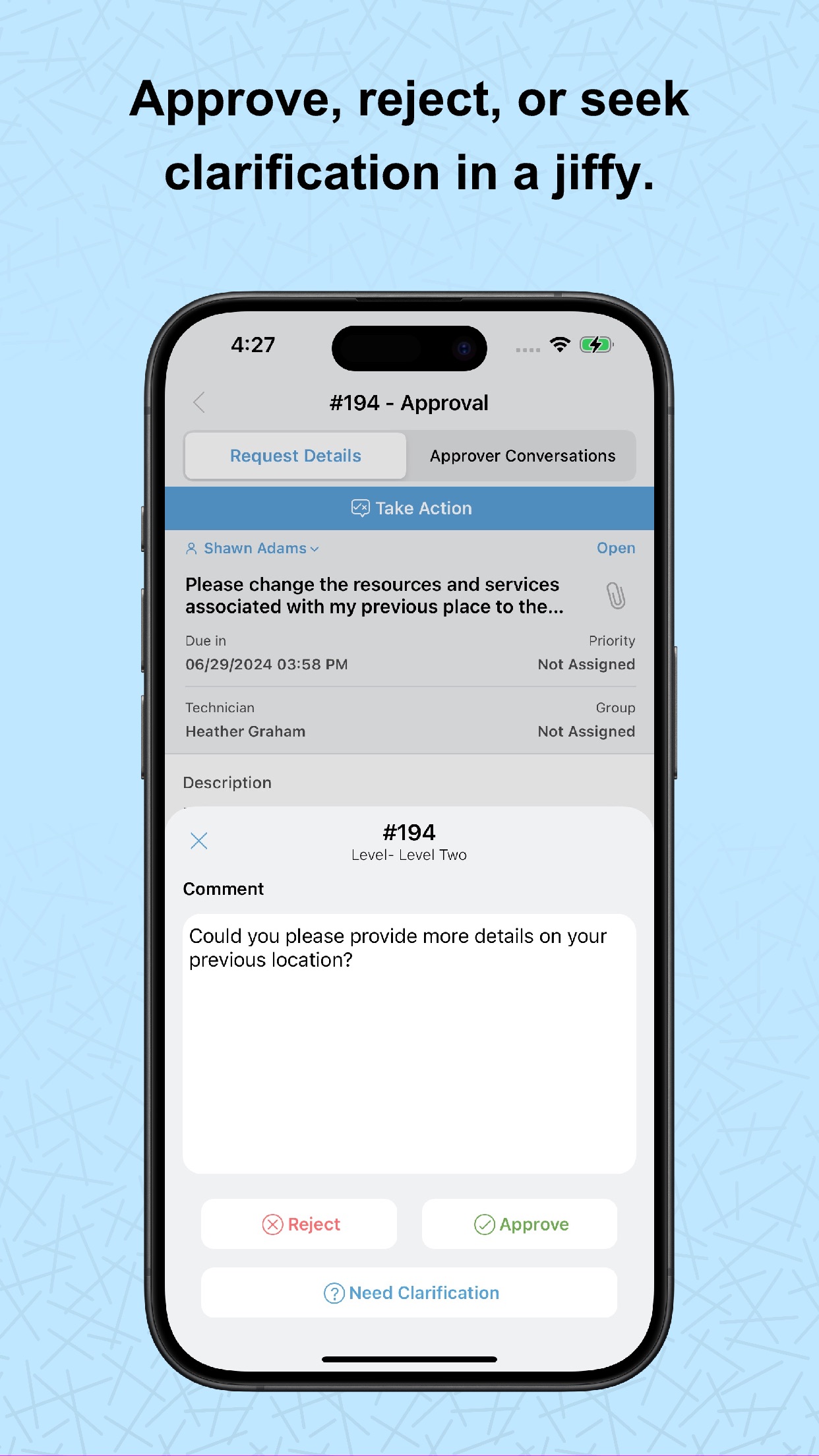
1. Review and approve service requests and changes from your mobile device.
2. Receive real-time notifications on request assignments, replies, and approvals.
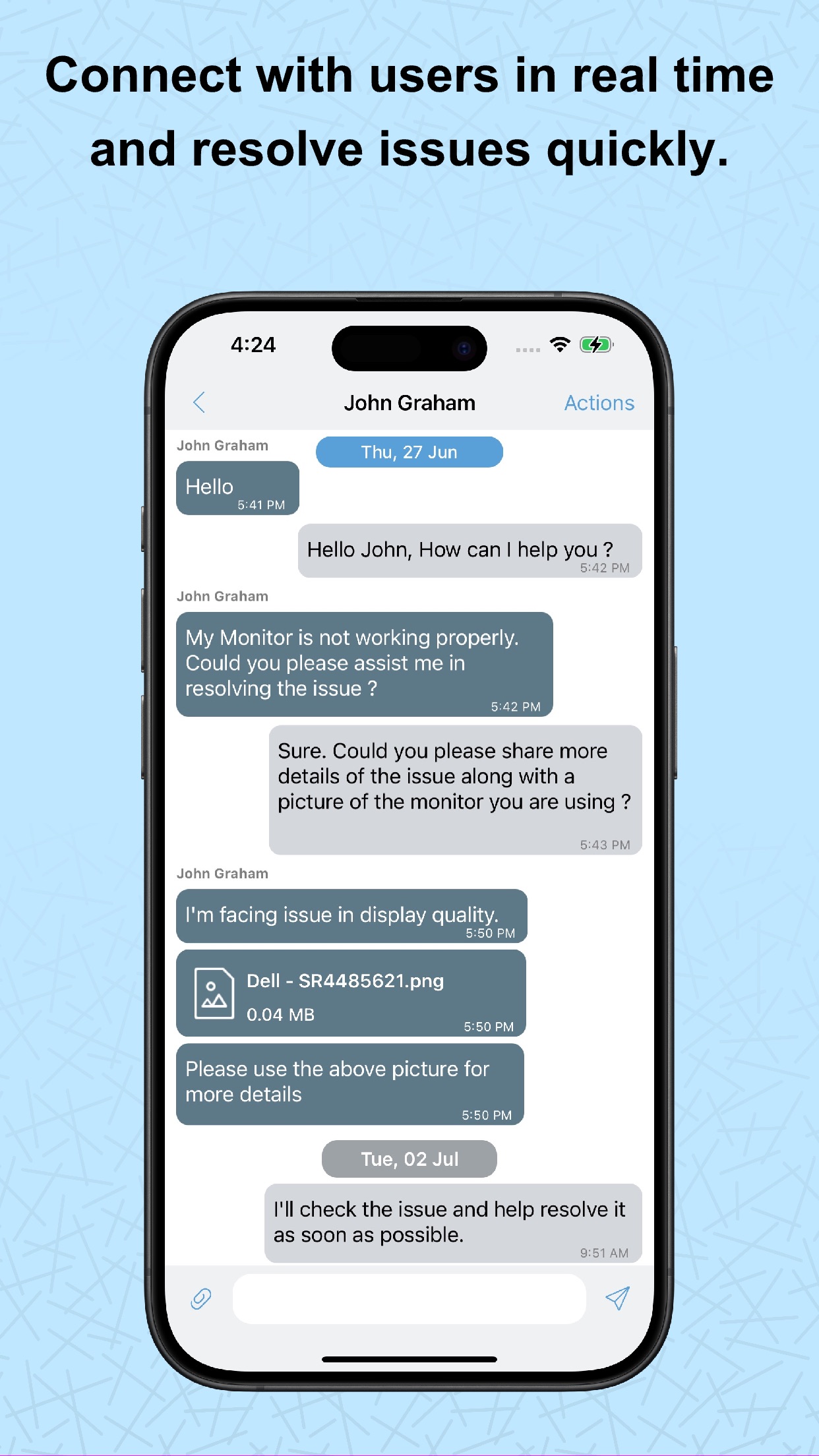
3. Chat with end users right from the app.
4. Create custom views and tailor the app to your preferences.
If you haven't installed ServiceDesk Plus yet, go ahead and try out out the fully featured, 30-day, free trial at https://mnge.it/install-servicedesk.
Note: This is not a stand-alone application. To log in, your organization must have downloaded and installed the ServiceDesk Plus app or must have an account with ServiceDesk Plus. The ServiceDesk Plus mobile app is only supported with ServiceDesk Plus On-premises version 14000 and above.
Information
Accessibility
ipadiphonemacrealityDevicetvoswatch
Version history 25 recorded
6.4.5
2026-05-25
1. Users can now submit requests for approvals.
2. Task comments now support @mentions.
3. Solution descriptions now support inline and embedded videos.
6.4.4
2026-03-30
1. In the Add Request form, you can now populate the Assets field by scanning an asset's QR code, barcode, or RFID tag.
2. When a request is moved to on-hold, you can now select a status and schedule it to be applied automatically.
3. The following values are now retained after you log out:
* Filters (across all modules)
* Last scanned by (Scan Assets page)
* Settings-launch request Screen by Default
* Image upload quality
* Show description by default
6.4.3
2026-03-03
Introducing ASWebAuthentication support to strengthen SAML authentication and Azure pre-authentication, ensuring compliance with Conditional Access policies.
6.4.2
2026-02-23
1. Users can now scan and upload documents as attachments.
2. The task list does not refresh when the task filter is changed. This is now fixed.
6.4.1
2026-01-22
Applicable from ServiceDesk Plus 15200
1. Task comments are enhanced.
2. The following enhancements are introduced in Checklists:
* The Last Updated By information is now displayed for each checklist item.
* Descriptions are now displayed for each fields in checklist items.
6.4
2025-12-24
1. Problems module is now supported from SDP 14500.
2. You can now manage problems with options to add using templates, edit, view, list, delete, mark as Known Error, and close.
3. The following functionalities are now supported:
*Analysis: Add, edit, and view problem analysis
*Solutions: View solutions
*Tasks: Add, edit, view, and delete tasks
*Worklogs: Add, edit, view, and delete worklogs
*Conversations: Track discussions related to problems
*History: View complete problem history.
6.3
2025-11-26
1. Added bulk approval actions (Approve/Reject) and approval list pagination support. (SDP-14900).
2. Enabled approval workflows for Purchase Requests and Purchase Orders. (SDP-14980)
3. Introduced support for Release approval processes. (SDP-14000)
4. Added Schedule End Time and Change Type to the Change List screen.
5. Included Asset Owner Name in the Asset List for better visibility.
6. Added “Go to Edit Request” support to allow editing mandatory fields during request closure.
6.2.1
2025-10-01
Our app now works seamlessly on iOS 26 devices.
6.2
2025-09-11
1. Dynamic Fonts & VoiceOver Support – Seamless accessibility with adaptive fonts and VoiceOver integration across the entire app.
2. Release Notes in Settings – Access detailed update information directly from the Settings screen.
6.1
2025-06-24
Enhancements in Assets module supported from 15100:
1. Product-Type Asset Filters: Filter assets by product type for faster access in the Assets list view.
2. Bulk Asset Edit: Select and update multiple assets simultaneously by long-pressing the asset cards.
3. Dynamic Asset Forms: Forms now adapt automatically based on product type during edits.
Worklog:
1. Worklog Templates: Technicians can now select templates to quickly log their work as needed.
Attachments:
1. Image Upload Quality: For better storage and performance control, Choose image quality — Original, High, Medium, or Low in the Settings screen.
Change:
1. In the Change Stage, the Downtime field has been updated and renamed to Deployment Details for better clarity. This enhancement is supported from build 14970.
6.0.9
2025-04-30
We’ve made some exciting updates to enhance your experience:
1. Set Your Default Portal: Personalize your journey by choosing your preferred portal as your default landing page—get where you need to go, faster.
2. Bulk Attachment Downloads: Save time with our new bulk download feature—grab all your attachments in one tap.
3. Email Signature Support: Craft more polished replies with custom email signatures, adding a professional touch to every message.
6.0.8
2025-02-27
1. Cancel request option has been added in the Request module for both Requesters and Technicians.
2. Logged-in users can now mention other users and technicians while adding or editing notes.
6.0.7
2025-01-02
This version supports task additional fields starting from build number 14500.
6.0.6
2024-12-05
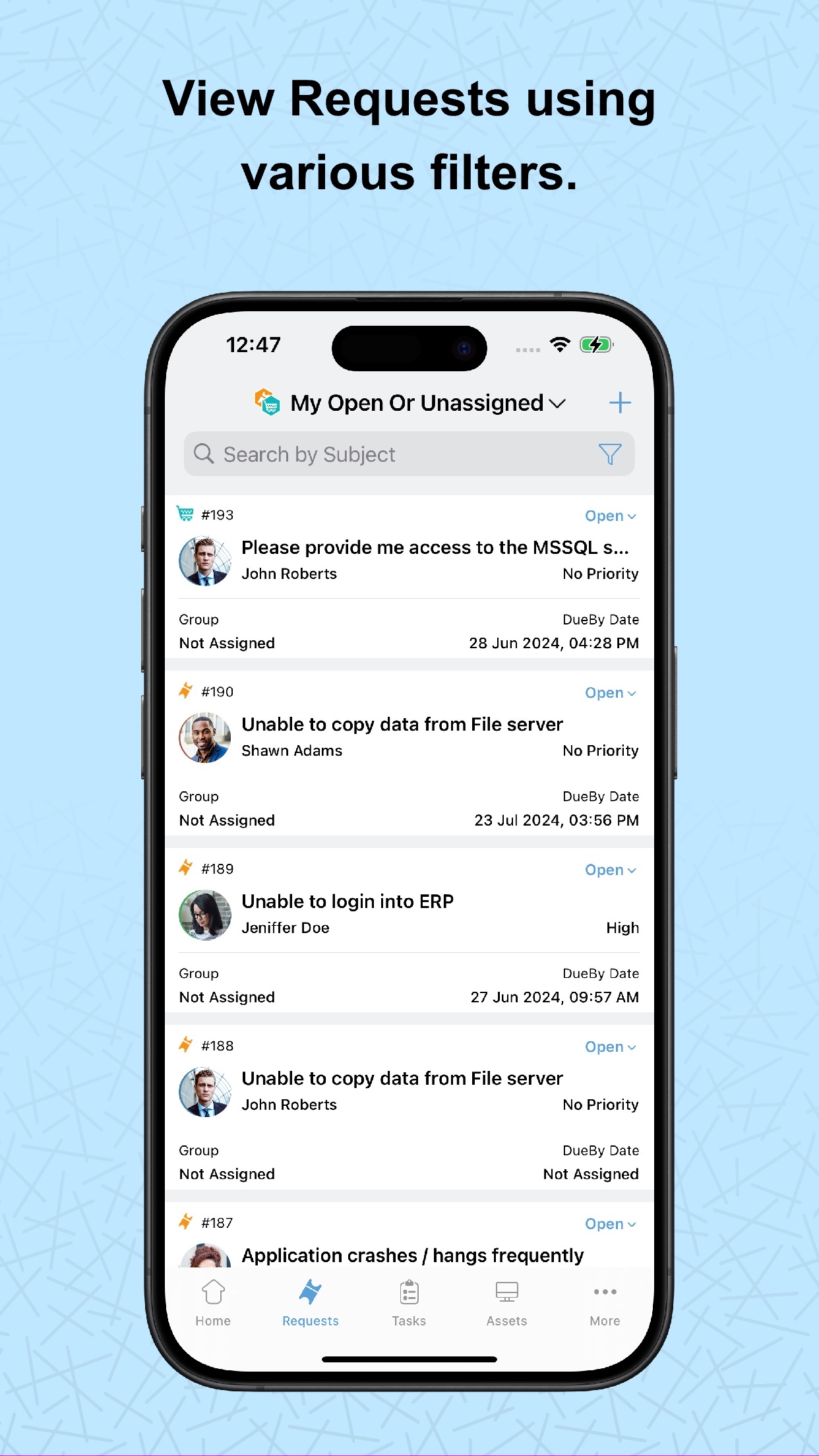
1. Added the ability for users to sort requests by their "Due by date".
2. General fixes and stability enhancements.
6.0.5
2024-11-12
This version compatible with server build 14900 for improved performance and seamless functionality.
6.0.4
2024-10-28
1. Added filter support for Announcements.
2. Announcements are displayed as follows (consistent with the web version):
Requester login: Only active announcements are shown.
Technician login: View all announcements (Active, Inactive, Future) with a 'Show All' button.
6.0.3
2024-10-23
Azure Pre-Authentication supported from build 14850.
6.0.2
2024-09-25
1. Added the ability to retrieve the server URL by scanning a QR code directly from the Server URL page.
2. General fixes and stability improvements.
6.0.1
2024-08-20
1. Starting with v6.0, mobile apps will function only from SDP build 14000 or higher.
2. Security enhancements.
6.0
2024-07-31
The application UI has been revamped for a better user experience.
Home :
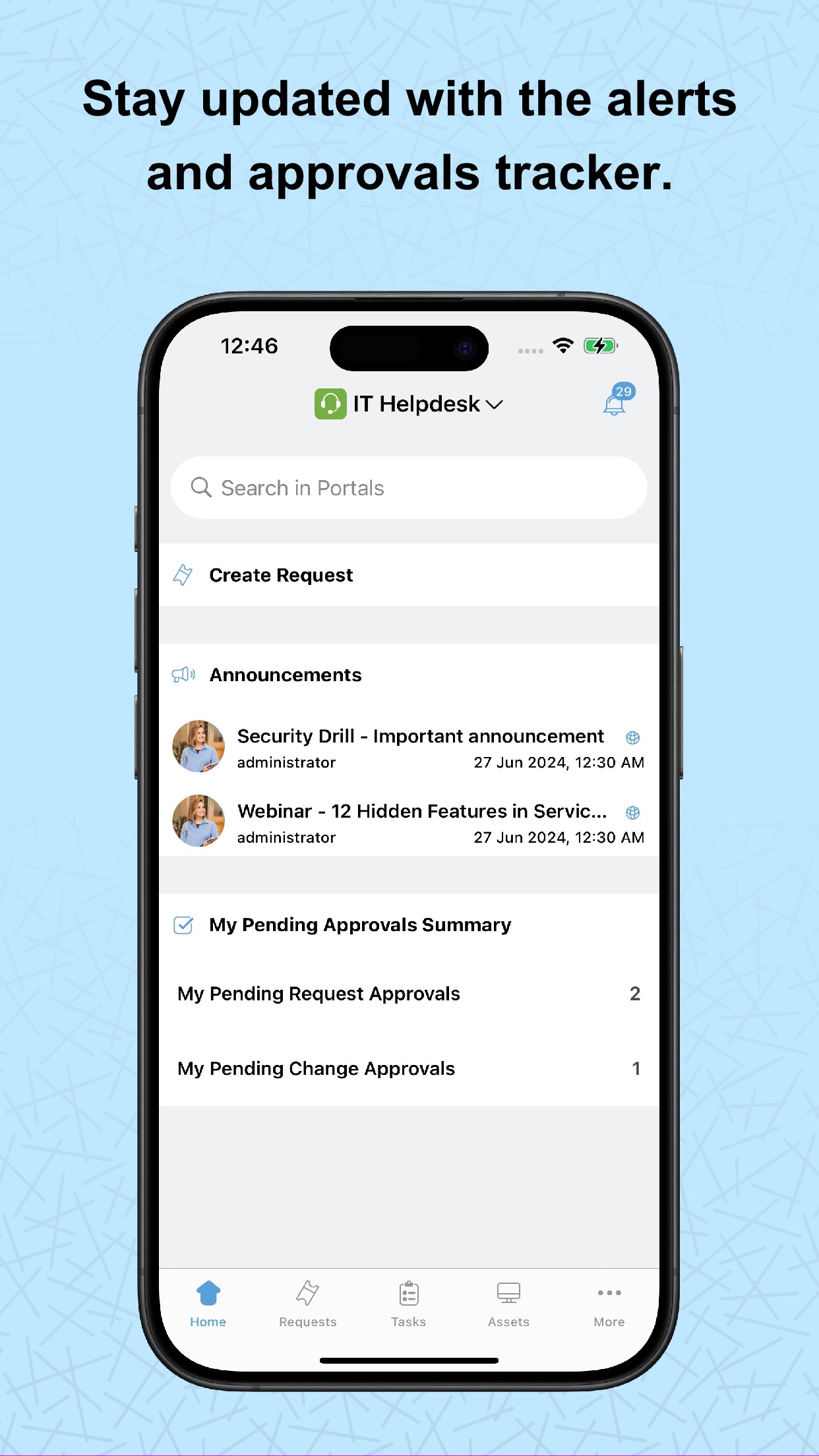
1) Global Search: Users can search for Requests, Solutions, and Announcements across portals using the global search.
2) Add requests from Home Screen.
3) Announcements with recent announcements and "View More" button.
4) My Pending Request Approvals and My Pending Change Approvals with their summary are displayed in Home.
5) Request List View Customisation : Users can customise two request fields in the request list view.
Request :
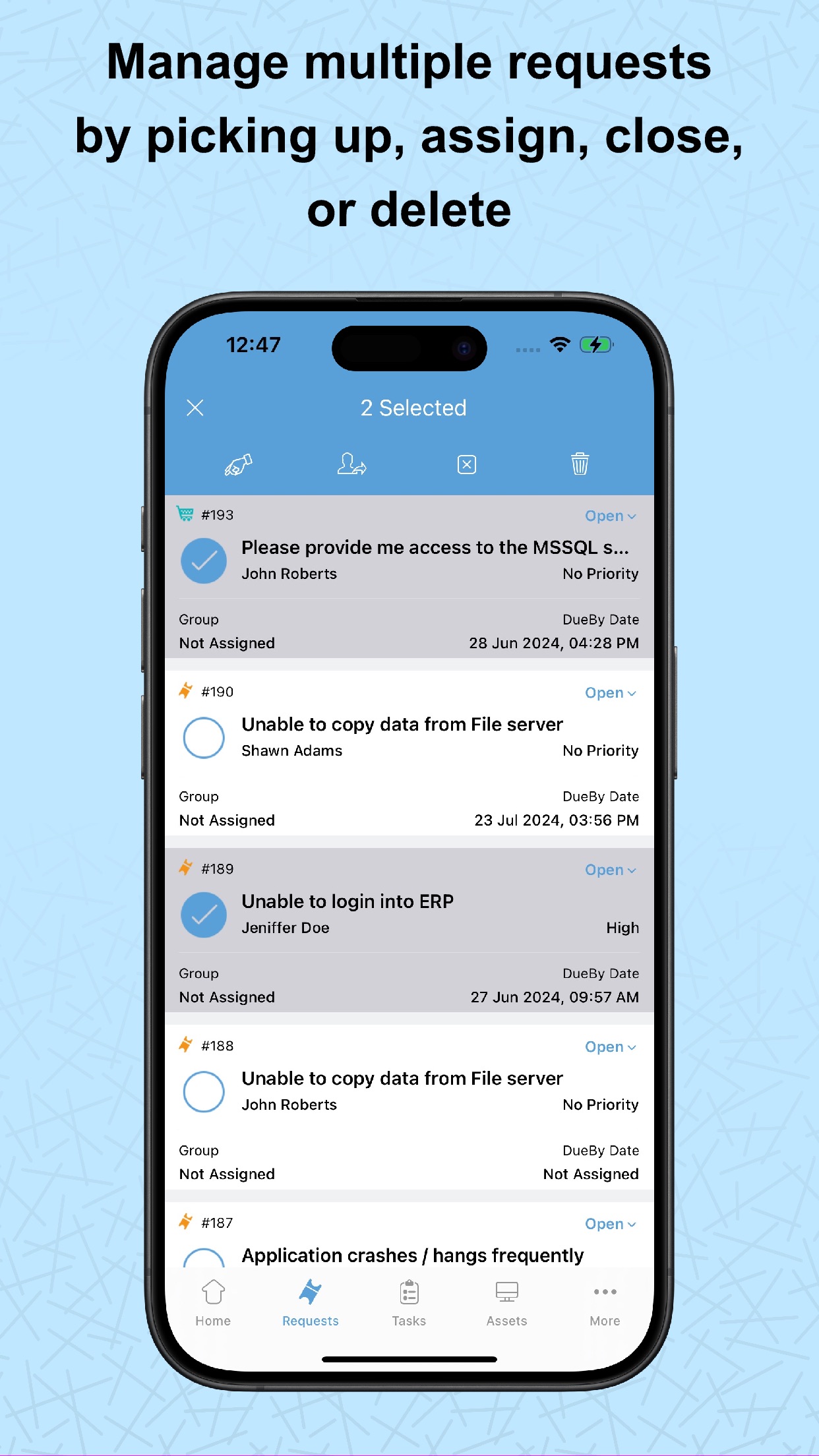
1) Bulk pickup, assign, close, and delete options added. in request list view.
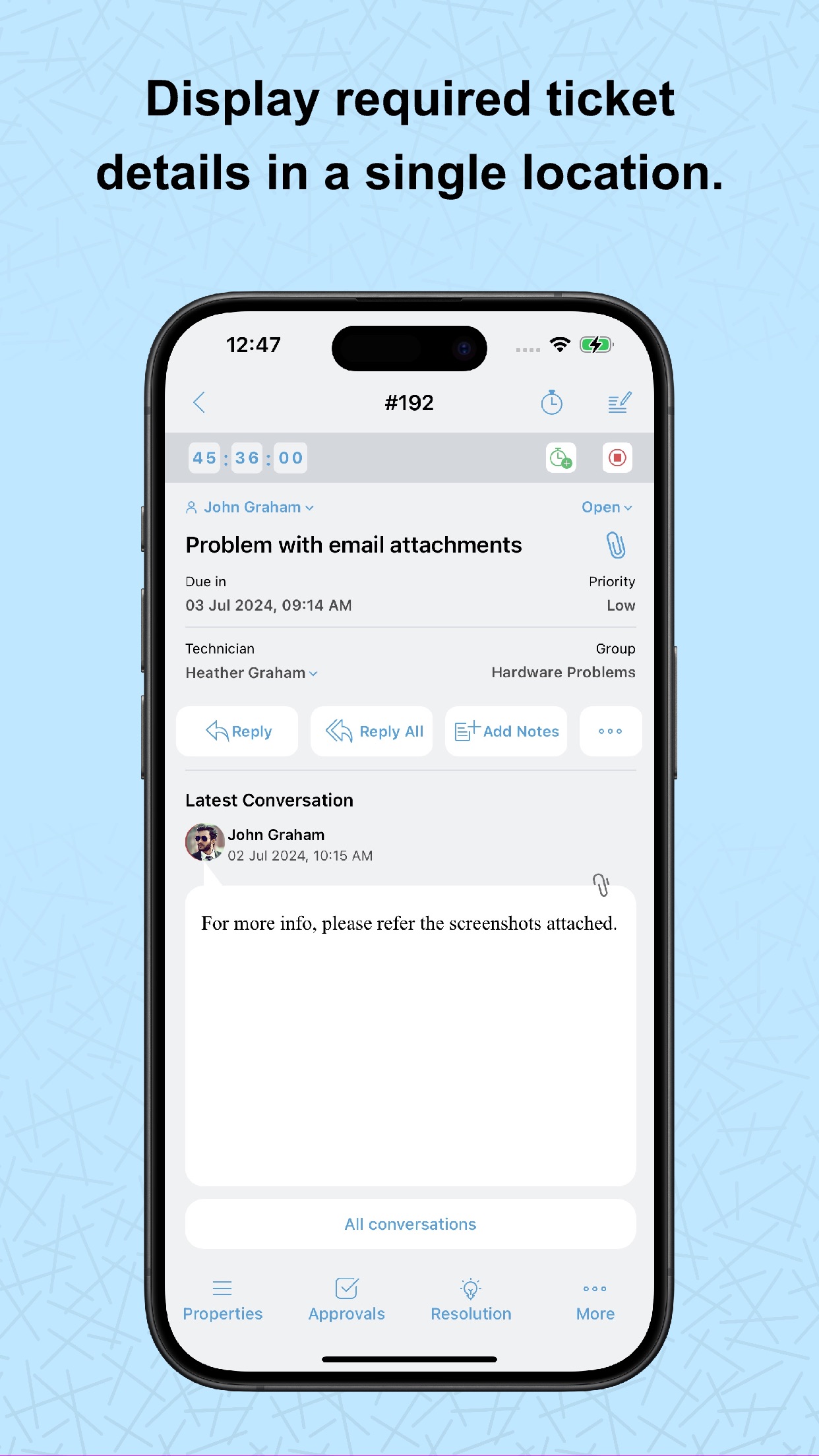
2) Work log timer: Create a work log timer from the request details view.
3) Added Resolution field in Add/Edit Request Form.
4) Forward a request to another user.
5) View request approvals from within the request details page.
6) Requester’s profile picture is displayed in the requests list view.
Approvals :
1) Need Clarification for Approvals: Request more clarification on an approval when approving/rejecting approvals.
2) Added Approvers tab in the request/changes approval details page.
Work log :
1) Work log additional fields: Include work log additional fields when creating or editing a work log.
Task :
1) Task Templates: Configure predefined task templates to help users create tasks instantly.
2) Task Comments: Add or reply to task comments using the mobile app.
Asset :
1) Scan asset/workstation using RFID devices. Currently, only the Zebra's RFID device is supported.
2) Asset scan count has been increased to 25.
General :
1) Dark/Light theme support.
2) In-App Rating & In-App Feedback
iOS Widgets support:
The iOS widget now supports the following entities:
1) Approval summary.
2) Requests View (All requests, My open requests, Unassigned Requests).
3) Approvals (My Pending request approvals, My Pending change approvals).
5.9
2023-09-15
FAFR Support: While creating or editing requests from ServiceDesk Plus mobile app, Administrators can allow field and form rules to be executed by toggling ON Enable Field and Form Rules for Mobile App option under Admin > Templates & Forms > Field and Form Rules.
On updating priority, the Impact and Urgency fields will auto-updated based on the priority matrix.
Scripts cannot be executed via Field and Forms Rules for requests created or edited via mobile app. This feature supported from server build 14501.
5.8.13
2023-09-12
1. We have provided search option on Approvals list page using approval's title,id and requester name.
2. Photo library items are now sorted by recently added items.
5.8.12
2023-08-30
1. Supported Multi-Factor Authentication from SDP Build 14500.
2. Introduced UAT and Release stages in Change Module from SDP Build 14500.
3. Minor Bug Fixes and Feature Enhancements.
5.8.11
2023-06-15
Request filters & reply request API's, have been migrated to V3 in iPad app.
5.8.10
2023-05-18
Chat module API migrated from v1 to v3 (from server build 14300).
Region availability 44 of 44 storefronts
| Store | Price | Ratings | Avg | Version |
|---|---|---|---|---|
| US | Free | 20 | 4.7 | 6.4.5 |
| RU | Free | 19 | 4.7 | 6.4.5 |
| UA | Free | 7 | 5.0 | 6.4.5 |
| TR | Free | 4 | 5.0 | 6.4.5 |
| AU | Free | 2 | 4.5 | 6.4.5 |
| GB | Free | 2 | 5.0 | 6.4.5 |
| CH | Free | 1 | 5.0 | 6.4.5 |
| DE | Free | 1 | 5.0 | 6.4.5 |
| FR | Free | 1 | 2.0 | 6.4.5 |
| GR | Free | 1 | 5.0 | 6.4.5 |
| HU | Free | 1 | 5.0 | 6.4.5 |
| IT | Free | 1 | 2.0 | 6.4.5 |
| MY | Free | 1 | 1.0 | 6.4.5 |
| OM | Free | 1 | 2.0 | 6.4.5 |
| PL | Free | 1 | 3.0 | 6.4.5 |
| SE | Free | 1 | 3.0 | 6.4.5 |
| AT | Free | 0 | — | 6.4.5 |
| BE | Free | 0 | — | 6.4.5 |
| BG | Free | 0 | — | 6.4.5 |
| BH | Free | 0 | — | 6.4.5 |
| BY | Free | 0 | — | 6.4.5 |
| CA | Free | 0 | — | 6.4.5 |
| CZ | Free | 0 | — | 6.4.5 |
| DK | Free | 0 | — | 6.4.5 |
| EE | Free | 0 | — | 6.4.5 |
| ES | Free | 0 | — | 6.4.5 |
| FI | Free | 0 | — | 6.4.5 |
| HR | Free | 0 | — | 6.4.5 |
| IE | Free | 0 | — | 6.4.5 |
| IQ | Free | 0 | — | 6.4.5 |
| IS | Free | 0 | — | 6.4.5 |
| KR | Free | 0 | — | 6.4.5 |
| LT | Free | 0 | — | 6.4.5 |
| LU | Free | 0 | — | 6.4.5 |
| LV | Free | 0 | — | 6.4.5 |
| NL | Free | 0 | — | 6.4.5 |
| NO | Free | 0 | — | 6.4.5 |
| NZ | Free | 0 | — | 6.4.5 |
| PT | Free | 0 | — | 6.4.5 |
| RO | Free | 0 | — | 6.4.5 |
| SG | Free | 0 | — | 6.4.5 |
| SI | Free | 0 | — | 6.4.5 |
| SK | Free | 0 | — | 6.4.5 |
| TW | Free | 0 | — | 6.4.5 |
Reviews 20 recent
★★★★★ Excellent compliment to SDP — Nathan K2009
App went through a big redesign and is more usable than ever! Snappy, clean UI, feature full. Worked really well using attachments through OneDrive piggybacking off iOS files UI.
No reason why your support staff shouldn’t have this app when in the field.
★★★★★ Something is missing — Shutterup
Love the app but cannot believe that there is no audio notification available for runners. This is like having a phone that doesn’t ring but still expects you to answer it when a call comes in.
Our IT department has tried everything and can’t find a way for the runners to get an audio notification.
HELP!!!!
★★★★★ Poor function, awful interface. — stevey500
Pros: app is fast response. Cons: It takes far too many button presses and menu options to change ticket request details, pick up a ticket, close, add notes/reply. Notes and reply text entry fields do not allow auto spell correction. Push notifications are sent to users device while the user is the one making changes/actions to ticket items. I don’t need to see notifications for actions that I am currently making. I’m very well aware that I just closed a ticket. Very odd notifications behavior.
★★★★★ Incorrect Username/Password — Runesmite
I can sign in fine through a web browser, but the app does not work.
This is after the app working fine for a year after dealing with a recurring issue where the technician key had to be reset weekly just for it to work.
I can’t sign in, but the app will constantly notify me of when tickets are assigned. It needs to be looked at, it is unusable in it’s current state and makes work harder.
★★★★★ Needs to be updated- unusable in current state — api888
Display is not optimized for iPhone XS Max. I can view tickets but unable to assign or make any changes.
**UPDATE** - They fixed it. Works great now!
★★★★★ Almost great — musicmanswb
I like the push notifications and the ability to have access to all of my tickets from my phone.
However, the lists of tickets would be much more helpful if we could sort them by other fields such as priority or due date. Also, the color codes for priorities along with other misc icons (approval, overdue, etc) would be nice to see from the list as well. Some of the features of the main system need to be included as well, such as the closure codes and FCR check boxes when we close a ticket. Als
★★★★★ 4.3 — Rpm2p
UPDATE: Everything works with the newest version now.
The new release has broken the close button on the resolution screen searching solutions from the main screen also yields no results. You have to go into a ticket and search Solutions there to be able to see them.
★★★★★ Widget not working and not updated for iPhone X — Jroy83732
The recent update doesn’t fix the data loading in the widget for me. It just says “loading”. Also, screen is not optimized for the iPhone X. Please fix issues.
★★★★★ pretty bad — FasEddie
This app's interface is as convoluted and overblown as their web product. Unstable, unintuitive, and sparse. It could be as good (and straightforward) as any mail app for iOS; a mere browser for service tickets, but the developer has decided to spread a simple solution to an issue among several pages. a mobile user needs fewer items, not more. we need to respond, address, and close the ticket. Both Apple and Google write their apps to minimize complexity. This developer is incapable of elegant d
★★★★★ Unable to login — MaxDrago
We have never been able to login to our ServiceDesk install via the iOS app, just fails authentication, even though users can login via web just fine.
Annoyingly, ServiceDesk refuses to let Safari users login via the web from their devices also, keeping you from being mobile and forcing reliance on desktop machines/browsers.
★★★★★ Good start, but needs work. — Navigat0
I've been using SD+ on and off for over 10 years. Time was when you submitted a bug or feature request it was released within a month or two.
That being said, I'm not so sure Manage Engine's execution is as well focused anymore. I use SD+ and a major issue in the formatting of solutions has been unresolved for over a year (making me wish I had not upgraded). This app was last updated 6 months ago.
The app allows basic interaction with SD+ but falls short on many levels. Of all the 'should
★★★★★ Works great! — The Bajcsi
Did anyone bother to read the minimum requirements for this new version of the app? You MUST upgrade SDP to build 8125. MUST. This is because of a variety of REST API changes made to support the new version. I suspect all the 1 star reviews failed to take note of this. The new update is fantastic and works well. The layout is much better and you can now view conversations and notes. Hurray!
★★★★★ Update bug? — Missowhite
I liked this app prior to the update. Now, I'm unable to view ANY requests or incidents using my phone - I am told there are no results, no matter the filter I use. I am relieved to see its not only occurring for me, however this bug makes me unable to perform a portion of my job duties remotely. I would recommend a rollback of the update - pushed from Manage Engine!
★★★★★ Severely lacking basic functionality — jasinjersey
This app is an absolutely great idea, but its completely unusable in its current state. You can view the most basic details of tickets (not even the complete description!), assign them and reply to them, but you can't see the conversations at all. If I'm looking at a ticket, either one assigned to me or someone else, it's extremely important for me to be able to see the dialog between the end user and the Helpdesk. Without this, it's completely worthless.
Please at least add this basic functio
★★★★★ Thanks — Todd Portz
Having an app that allows me to quickly reassign tickets to my staff helps tremendously! An iPad app would be greatly appreciated! I agree with other users.. More features... More uses!
★★★★★ Not Very Useful — Del951
Like others have said, it is just too basic to be useful. It doesn't show all the fields so if you have a field that is required to close the ticket and that field isn't displayed then you can't close the ticket. It needs a ton of work at this point.
★★★★★ Garbage! — D-Boy It
There is a laundry list of issues that makes this app unusable:
-Cannot access all of the choices for a ticket, which means you can't update or close any tickets.
-Reply feature does not auto-fill the sender of the original request. Good luck if you don't know the email address of the sender.
-When entering a description, iDevice autocorrect does not work, and you cannot even hit a return key.
-Does not allow you to assign the ticket to anyone but yourself.
I would expect a few bugs with f
★★★★★ It works. That's about it. — netsyd
As the review by ajpaxson mentions there are serious limitations to the application. You get the basics - in other words as long as you only want to close a ticket or view a ticket's details you're golden. If you want to view comments, notes, change the ticket to a non-default status and more… you're out go of luck. And don't bother trying to reply to a ticket unless you know the requester's email address… because it doesn't populate that for you.
It's very much like someone who doesn't use th
★★★★★ It works, but..... — ajpaxson
I've had this app for months, and not a single update. It was built, and then forgotten about.
Basic functionality is there, pickup, assign, work log, and close. You can view all and assigned tickets.
Can't add notes, and I get errors when closing tickets created by email. Can't access the other modules of servicedesk, like solutions or tasks.
I would feel different if there were updates as they added and updated the app, but that hasn't happened.
★★★★★ Decent First Release — _¡Ninja!_
And it does work but you need to go into the Admin section of your Service Desk Plus and click on a Technician and generate an API Key for them at the bottom of their profile. This key must be in their iOS Device Clipboard when authenticating the first time. Also make sure to set up the External URL field in the Service Desk.
Hopefully the developer team will work on the API Key provisioning to make it easier, it may just be an unnecessary added security layer but at minimum it should allow y